
Computer Ki 7 Common Problems — Hardware Repair Expert Ki Complete Guide
Computer slow hai, screen kali ho gayi, start nahi ho raha? Yeh 7 common hardware problems aur unki diagnosis — 20 saal ke repair experience se.
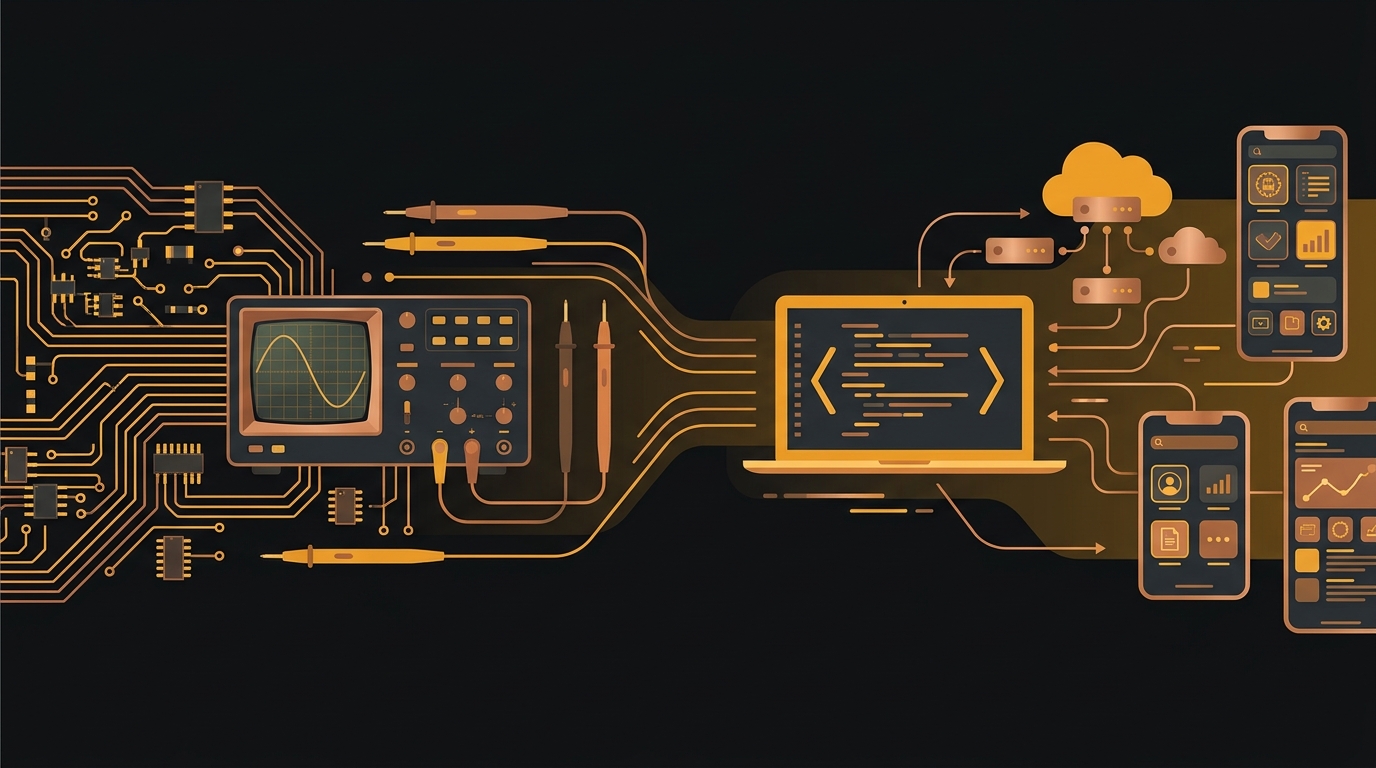
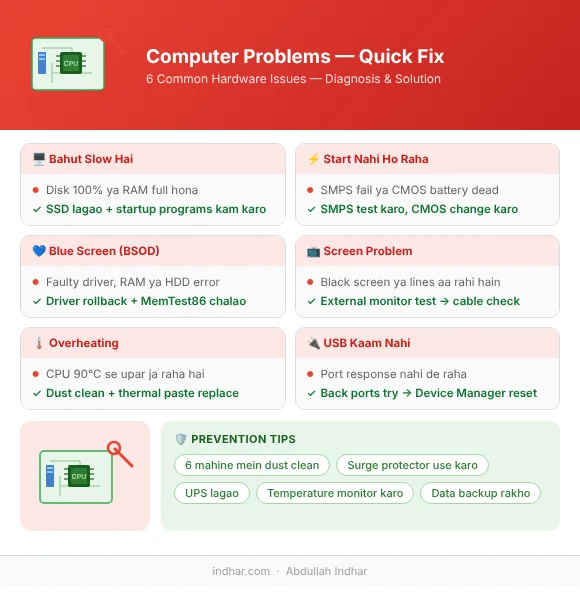
90% computer hardware problems simple hoti hain — Task Manager se disk/RAM usage check karein, SMPS aur CMOS battery test karein, dust clean karke thermal paste replace karein, aur UPS plus data backup zaroor rakhein.
Computer repair ka kaam karte karte yeh seekha ke 90% problems same hi hoti hain. Log ghabra jaate hain — "computer kharab ho gaya" — lekin zyada tar fix simple hai.
Radio se TV, TV se computer — yeh safar lamba raha. Ab hardware repair bhi karta hoon, software bhi. Yahan woh sab share karta hoon jo daily kaam aata hai.
Problem 1: Computer Bahut Slow Hai
Diagnosis:
Pehle task manager kholo (Ctrl+Shift+Esc). CPU, RAM, Disk usage dekho. Agar disk 100% pe hai — yeh sabse common Windows slow hone ki wajah hai.
Fixes:
- SSD lagao HDD ki jagah (sabse bada upgrade)
- RAM badhao (8 GB minimum aajkal)
- Startup programs kam karo (Task Manager → Startup tab)
- Malware scan karo (Malwarebytes free hai)
- Windows fresh install (last resort lekin sabse effective)
Problem 2: Computer Start Nahi Ho Raha
Diagnosis:
Power button dabao — kuch nahi hota? Ya Windows logo tak aata hai phir band ho jaata hai?
Kuch nahi hota:
- Power cable check karo
- SMPS (power supply) test karo — yeh 60% cases mein wajah hoti hai
- RAM nikalo aur dobara lagao
- CMOS battery change karo (3-4 saal baad dead hoti hai)
Windows tak aata hai phir band:
- RAM test karo (MemTest86 software free hai)
- Hard drive test karo (CrystalDiskInfo se SMART status dekho)
- Overheating — heatsink saaf karo, thermal paste lagao
Problem 3: Blue Screen of Death (BSOD)
Yeh Windows ka worst nightmare lagta hai lekin fix hota hai.
Error code note karo (jaise IRQL_NOT_LESS_OR_EQUAL).
Common causes:
- Driver issue — recently koi driver install kiya? Rollback karo
- RAM faulty — MemTest86 se test karo
- Hard drive errors —
chkdsk /f /rcommand chalao - Overheating — temperature check karo HWMonitor se
Problem 4: Screen Problem (Black / Lines / Flickering)
Black screen laptop mein:
- External monitor lagao — agar wahan aa raha hai to LCD ka masla hai
- LCD cable check karo (hinge ke paas loose hoti hai)
- LCD backlight fail ho sakta hai
Lines/flickering:
- Graphics driver update karo
- Agar desktop hai — monitor cable (HDMI/VGA) change karo
- GPU (graphics card) dhool se saaf karo
Problem 5: Computer Bahut Garm Hota Hai (Overheating)
Temperature check karo — HWMonitor ya Core Temp software se.
- CPU normal: 40-70°C under load
- 90°C se upar — danger zone
Fixes:
- CPU heatsink ki dhool saaf karo (compressed air use karo)
- Thermal paste replace karo (3-5 saal baad dry ho jaata hai)
- Laptop ventilation block nahi honi chahiye
- Extra fan lagao cabinet mein
Problem 6: Internet Nahi Chal Raha (Hardware Side)
Network adapter driver reinstall karo. Agar WiFi card physical hai — PCI-E slot saaf karo.
Ethernet cable: Different port pe try karo. Cable khud kharab bhi ho sakti hai.
Router se seedha cable lagao — agar chal raha hai to WiFi ya networking setup ka masla hai.
Problem 7: USB / Ports Kaam Nahi Kar Rahe
Front USB ports zyada kharab hote hain. Pehle back ports try karo.
Motherboard ke USB pins check karo — loose connection.
Device Manager mein USB controllers uninstall karo aur restart.
Agar koi port hi nahi chal raha — BIOS mein check karo ke disable to nahi.
Prevention — Yeh Roz Karo
- 1.Computer ke andar ki dhool saaf karo — 6 mahine mein ek baar
- 2.Surge protector use karo — voltage fluctuation se hardware kharab hota hai
- 3.UPS lagao — load shedding se HDD/SSD protect hoti hai
- 4.Temperature monitor karo
- 5.Important data ka backup rakho
Jab Khud Fix Nahi Hota
Kuch problems — motherboard failure, BGA soldering, board-level repair — expert ka kaam hai. Agar diagnosis ke baad bhi samajh nahi aa raha to professional se milna better hai.
Pano Akil / Sukkur area mein hain to Dotcom Internet Cafe par aayein — hardware repair service available hai.
Have a mobile app, web platform, or AI idea?
Discuss your ideas or ask a question directly with Abdullah Indhar.